Choose a novel
Import an EPUB or search Project Gutenberg for a public-domain classic.
English novels with vocabulary help
TeakReader helps English learners read novels without constantly leaving the book. Tap unfamiliar words, translate difficult sentences, track what you know, and review vocabulary from the novel you are actually reading.


The novel-reading problem
Novels teach vocabulary in context: characters, emotion, dialogue, description, and repeated words across chapters. The hard part is staying inside the story when one unfamiliar word keeps sending you to a separate dictionary or translator.
TeakReader keeps dictionary lookup, translation, vocabulary tracking, and review close to the page, so help is available without turning a reading session into tab switching.


Dictionary plus translation
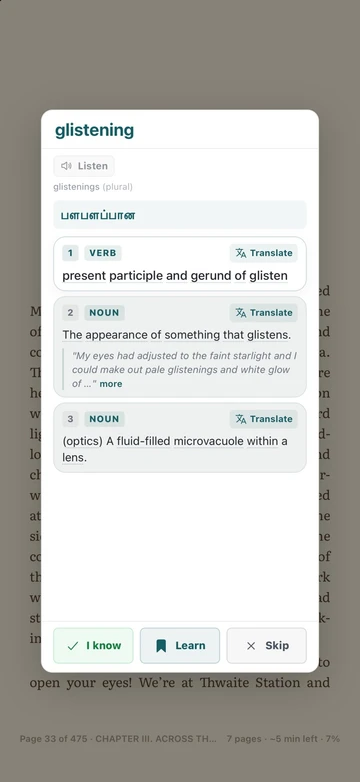
Most reading problems are small: a new verb, an older phrase, or a sentence that only becomes clear after seeing the whole meaning. TeakReader gives you both levels of help.
That makes it easier to return to the original English instead of replacing the novel with a translation.
How it works
TeakReader connects reading and review so your vocabulary list comes from sentences you actually met.
Import an EPUB or search Project Gutenberg for a public-domain classic.
Open dictionary meanings, examples, related forms, and vocabulary controls inside the reading page.
Use sentence translation when grammar, idiom, or older prose makes a whole passage difficult.
Turn useful novel vocabulary into flashcards while the original sentence is still meaningful.
Book sources
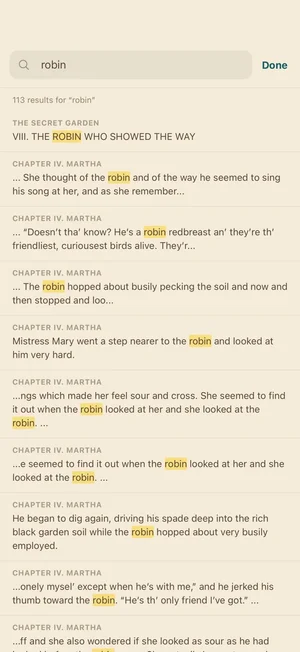
Use a personal EPUB file, an included title, or Project Gutenberg search for public-domain classics. Once a book is processed, TeakReader can show chapter lists, vocabulary stats, top unknown words, and study options.


Made for long novels
Reading readiness
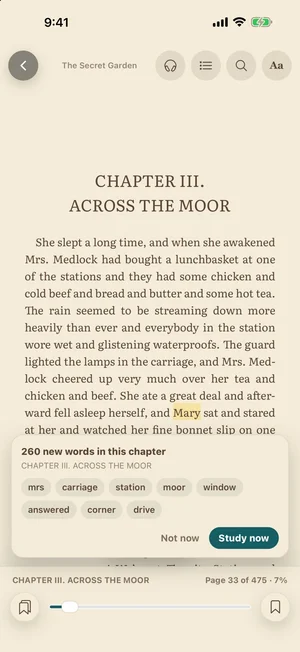
Processed books can show known, learning, ignored, and unknown words, plus CEFR vocabulary distribution and top unknown words. That helps you choose when to keep reading, when to review, and when a book may be better saved for later.

FAQ
A good setup keeps the novel, dictionary, translation help, and vocabulary review in the same reading flow. TeakReader is built for that: tap words inside the book, translate difficult sentences, and save useful vocabulary for review.
Yes. TeakReader supports EPUB imports. It is not a Kindle, DRM, PDF, MOBI, or AZW reader.
Yes. TeakReader includes Project Gutenberg search for public-domain classics, so you can add many classic English novels directly from the app.
Yes. TeakReader supports sentence translation for difficult passages, subject to your plan, downloaded data, and connection state.
Yes. Words you meet while reading can be reviewed with flashcards or practiced in Meaning Match and Spelling Forge in the Arcade.
No. Intermediate learners can start with easier books and use lookup often, while advanced learners can use CEFR stats and unknown-word lists to choose more challenging novels.
Yes. TeakReader is available on iPhone, iPad, and supported M-series Macs through the App Store, and on Android through Google Play.
Ready to read
Download TeakReader on the App Store or Google Play for iPhone, iPad, supported M-series Macs, and Android.