Can TeakReader read EPUB books out loud?
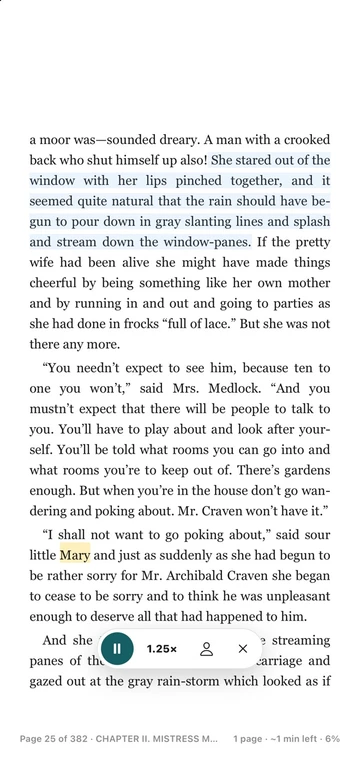
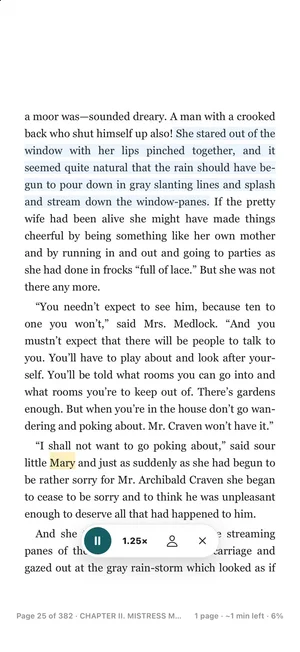
Yes. Tap the headphones button in the reader. TeakReader reads the page sentence by sentence, highlights the sentence you are hearing, and turns the page by itself.
Read aloud · Listen and read
Listen to a book while your eyes follow the words. TeakReader reads your EPUBs and free classics out loud, highlights the sentence you hear, and still lets you tap any word for its meaning.


Updated
Short answer
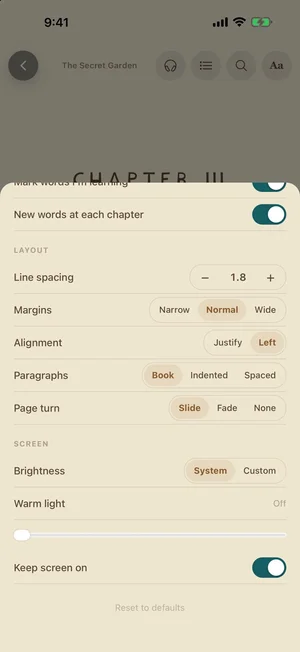
Open a book in TeakReader and tap the headphones button. The app reads the page out loud, highlights each sentence as it goes, and turns pages for you. You can slow it down to 0.75×, choose an English voice with the accent you want, and keep listening with the screen locked.
Why it helps
When you read and listen at the same time, you see how a word is spelled and hear how it sounds. This is often called reading while listening. Many learners find it helps in three ways:
It also makes long books less tiring. You can listen on a walk and pick up the text again at home.
How to use it
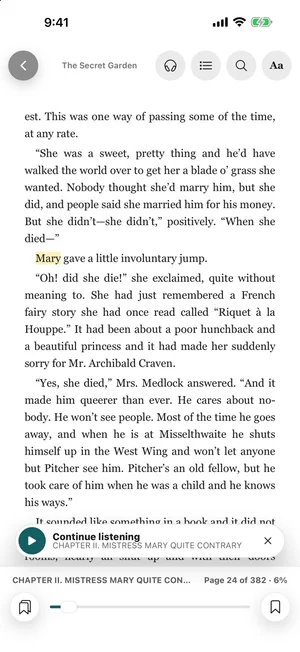
When you close the player, a Continue listening card remembers where you stopped. Tap play to carry on from that sentence.
Voices and accents
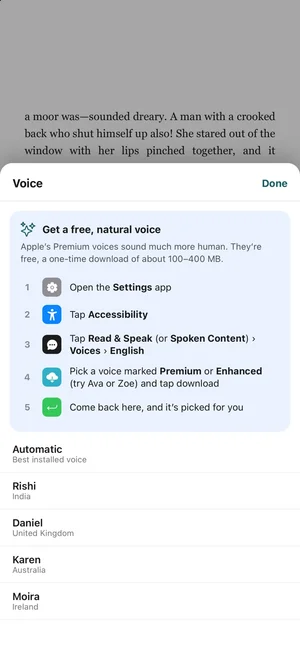
TeakReader uses the voices on your phone. You can choose British, American, Australian, Irish, Indian, and other English accents.Automatic picks the best voice you have installed.
The most natural voices are free but need a one-time download. On iPhone they are called Premium or Enhanced voices. On Android they are the high-quality Google voices. The voice picker shows the exact steps for your phone.
Tip: try a slower speed with a new accent first. Move up to 1× or 1.25× when the voice feels easy.
Still a learning app
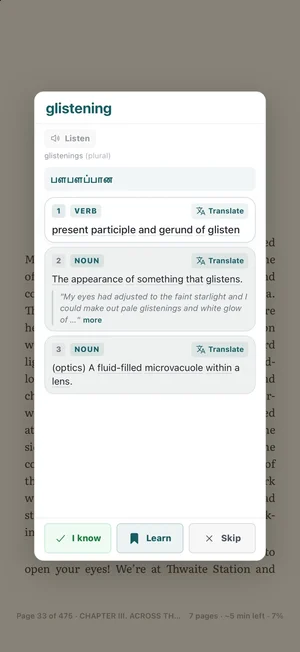
Read aloud is built into the same reader as the dictionary. When you hear a word you don’t know, tap it. You get its meanings, an example, a translation in your language, and a Listen button for the word alone.
Tap Learn to save it. It goes to your flashcards and word games, and the reader marks it in every book until you know it.
Long sessions
Compared with other options
| TeakReader read aloud | Audiobook apps | Phone “Speak Screen” | |
|---|---|---|---|
| Works with your EPUBs | Yes | No, separate purchase | Yes |
| Highlights the sentence | Yes | Sometimes | Sometimes |
| Turns pages for you | Yes | Not needed | Depends on the app |
| Tap a word for meaning | Yes, with translation | No | No |
| Human narrator | No, phone voices | Yes | No |
| Price | Free to start | Paid per book or plan | Free |
If you want a human performance of a novel, an audiobook is better. If you want to learn English from the book, read aloud with highlighting and word lookup gives you more to work with.
FAQ
Yes. Tap the headphones button in the reader. TeakReader reads the page sentence by sentence, highlights the sentence you are hearing, and turns the page by itself.
Yes. Listening carries on in the background and you get play and pause controls on the lock screen. When you come back to the app, the page catches up with the sentence being read.
Yes. Tap the speed button to switch between 0.75×, 1×, 1.25×, and 1.5×. Slower speeds are useful when a book is hard or the accent is new to you.
TeakReader uses the voices already on your phone, so you can pick an American, British, Australian, Irish, Indian, or other English voice. On iPhone, the free Premium and Enhanced voices from Apple sound the most natural. On Android, the high-quality Google voices do. The voice picker shows how to download them.
No, as long as the book is downloaded and you use a voice that is installed on your phone. Some Android voices stream from Google and need a connection.
Yes. Tap any word on the page to open its meaning, translation, and pronunciation. You can save it to learn without leaving the book.
No. It reads the text of the book with your phone’s voices. It does not play recorded audiobooks narrated by people.
No. Read aloud works with EPUB files you import, books from Project Gutenberg, and the classics included in the app. Kindle, PDF, and DRM-protected books are not supported.
Ready to read
Free to start on iPhone, iPad, and Android. Read aloud works with your own EPUBs and thousands of free classics.