How do I look up a word in Apple Books?
Press and hold the word until it is selected, then tap Look Up in the menu. If you see “No definition found”, go to Settings › General › Dictionary and turn on an English dictionary.
How-to · iPhone and iPad
There are two easy ways. Apple Books has a built-in Look Up. A learning reader like TeakReader does it with one tap and remembers the word for you. Here is how both work, and when to use each.


Updated
Short answer
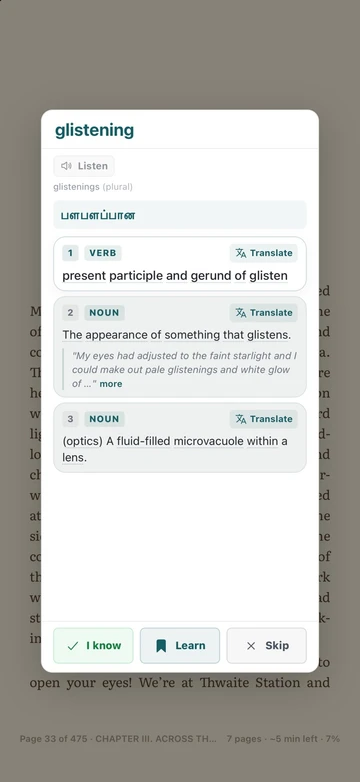
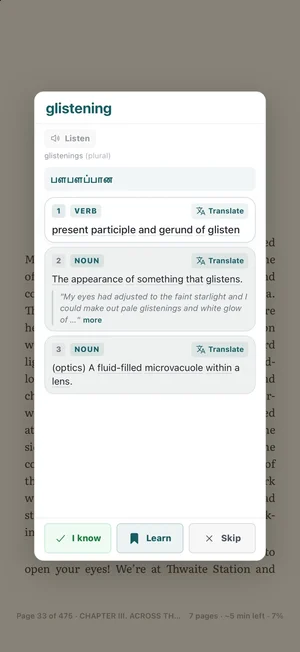
In Apple Books, press and hold a word and tap Look Up (turn on a dictionary in Settings › General › Dictionary if nothing shows). In TeakReader, open the EPUB and tap the word once: you get the meaning, a translation in your language, pronunciation, and a button to save it to learn.
Way 1 · Apple Books
Seeing “No definition found”? Go to Settings › General › Dictionary and tap an English dictionary (for example Oxford Dictionary of English) to download it.
Look Up is fine for a quick check. But it takes three steps each time, it doesn’t translate into your language unless you tap Translate separately, and it doesn’t keep a list of the words you checked.
Way 2 · TeakReader
Tap a synonym in the popup to look that word up too. Close the popup and you are on the same line of the book.

Whole sentences
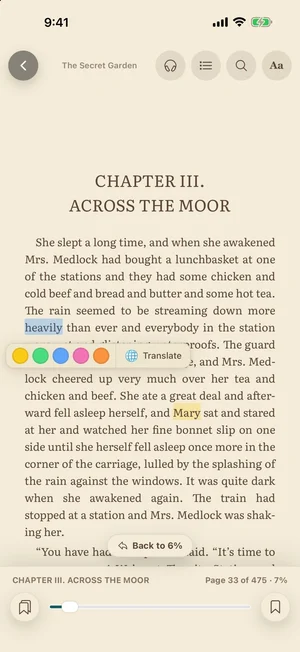
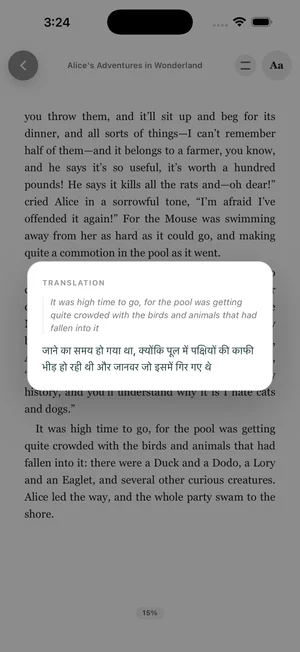
Sometimes you know every word and still don’t get the sentence. In TeakReader, press and hold to select text, then tap Translate. The same menu has five highlight colours if you want to mark the line.
You can change the translation language at any time. TeakReader supports more than 100 languages.
Fewer lookups
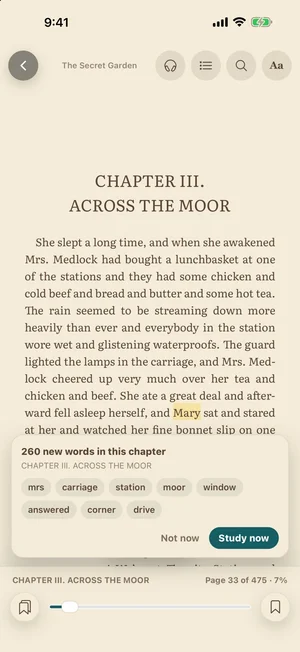
When you start a new chapter, TeakReader can show the new words in it, most common first. Study them in one tap, or skip and keep reading.
Words you are learning are also lightly marked in the text, so you notice them when they come back.
Side by side
| Apple Books | TeakReader | |
|---|---|---|
| Steps to see a meaning | Press and hold › Look Up | One tap |
| Translation | Separate Translate action | Shown with the meaning |
| Saves the word | No | Yes, with flashcards and games |
| Word level (CEFR) | No | Yes, for the book and each chapter |
| Read aloud | Speak Screen (system setting) | Built in, with sentence highlighting |
| Store-bought books | Yes | No, DRM-free EPUB only |
Use Apple Books for books you bought there. Use TeakReader when you are reading in English to learn, with your own EPUBs or free classics.
FAQ
Press and hold the word until it is selected, then tap Look Up in the menu. If you see “No definition found”, go to Settings › General › Dictionary and turn on an English dictionary.
Usually no dictionary is turned on for that language. Open Settings › General › Dictionary, tap an English dictionary to download it, then try Look Up again. Look Up also needs the exact word to be selected, not part of it.
Not in Apple Books. In TeakReader a single tap on any word opens its meaning. Press and hold is only used to select text for highlighting or translation.
Yes. In Apple Books, select the text and tap Translate. In TeakReader, the translation of a tapped word appears in the popup automatically, and you can press and hold to select a sentence and tap Translate.
No. Apple Books has no word list or vocabulary review. TeakReader saves words you mark as Learning and brings them back in flashcards and word games.
Yes. In the Library, tap Upload EPUB and choose the file from Files, iCloud Drive, or another storage app. DRM-protected books bought in Apple Books or Kindle cannot be imported.
Ready to read
TeakReader is free to start on iPhone, iPad, and Android.