Does TeakReader have the OpenDyslexic font?
Yes. OpenDyslexic is built into the reader. Open a book, tap Aa, and choose OpenDyslexic from the font list. It works with your own EPUB files and the free classics in the app.
Accessible reading
Change the font, spacing, alignment, and colours until the page feels easy. Then let the app read aloud with each sentence highlighted. TeakReader works with your own EPUB books and free classics.


Updated
Short answer
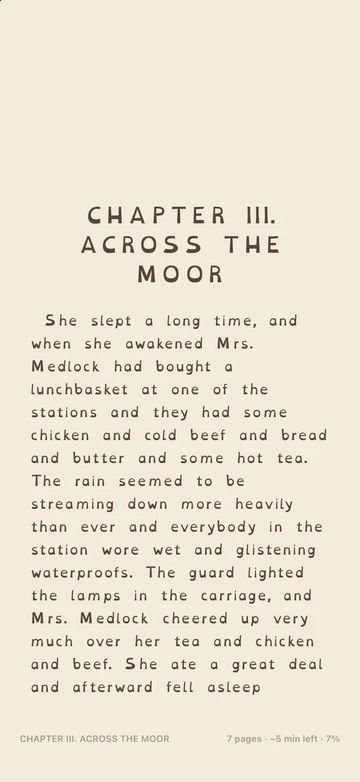
TeakReader’s reader includes OpenDyslexic and Atkinson Hyperlegible fonts, text up to 200%, line spacing up to 2.0, left-aligned text, wide margins, sepia and dark themes, warm light, and read aloud with sentence highlighting. All of it is free and changes in one tap from the Aa menu.
A good place to start
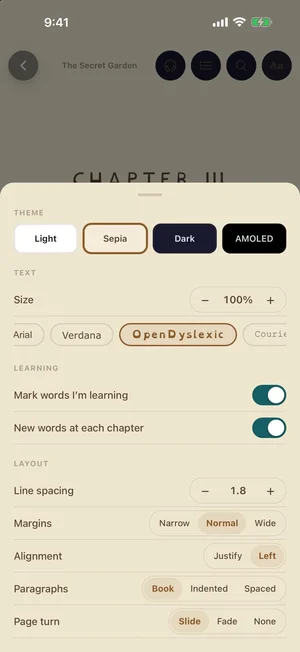
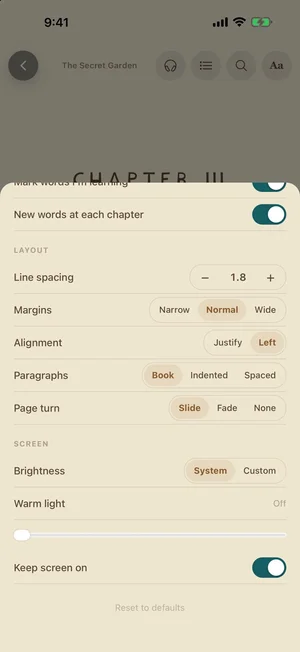
Open a book, tap the middle of the page, then tap Aa. Try these settings and change one at a time:
| Setting | Try | Why |
|---|---|---|
| Font | OpenDyslexic or Atkinson | Letters with distinct shapes are harder to mix up. |
| Size | 110–130% | Bigger text means fewer words per line. |
| Line spacing | 1.8–2.0 | More space stops lines blurring together. |
| Alignment | Left | Even gaps between words. |
| Paragraphs | Spaced | A clear break between paragraphs. |
| Margins | Wide | Shorter lines are easier to track. |
| Theme | Sepia or Dark | Less glare than bright white. |
Your settings are saved and used for every book.
Fonts
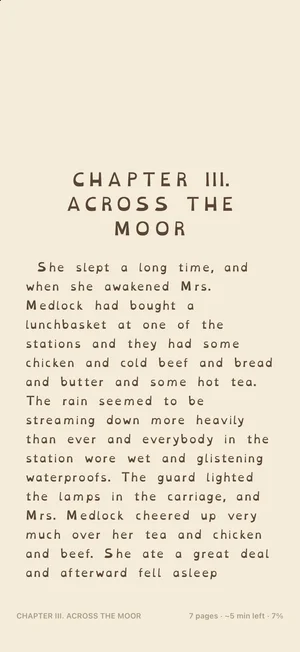
OpenDyslexic gives each letter a heavier base, so letters like b, d, p, and q look less alike.Atkinson Hyperlegible was designed for readers with low vision and makes similar characters easy to tell apart.
You can also choose Literata, Merriweather, Georgia, Palatino, Arial, Verdana, Courier, or the book’s own font. Each font chip shows a preview, so you can compare on the page you are reading.
Research on dyslexia fonts is mixed. The best font is the one that feels easiest to you, so try two or three.
Read aloud
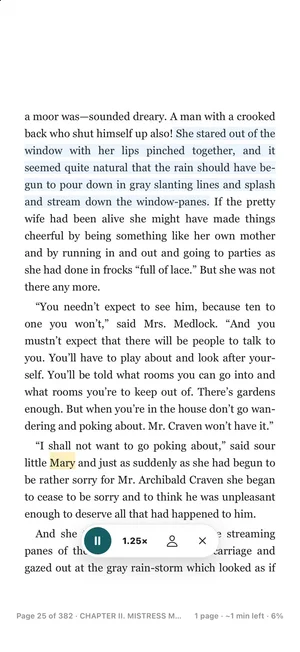
Tap the headphones button and TeakReader reads the book out loud. The sentence you hear is highlighted, so your eyes always know where to look.
More in our guide to the EPUB reader with text to speech.
Colour and light
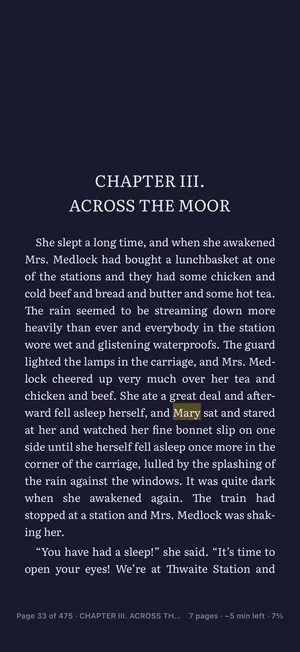
Bright white pages can feel harsh. Choose Sepia for a soft paper colour, Dark for night reading, or AMOLED for true black.
Warm light adds an amber tint, and you can set the brightness for the reader without changing your phone’s settings. It goes back to normal when you close the book.
Hard words
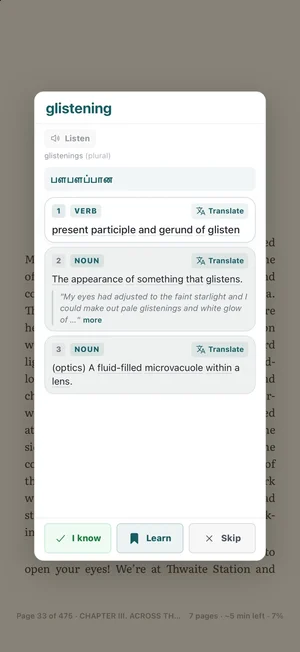
If a word is hard to decode, tap it. TeakReader shows the meaning in simple English, a translation into your language, and a Listen button that says the word out loud.
Save words you want to remember. They come back in short flashcard reviews and word games.
FAQ
Yes. OpenDyslexic is built into the reader. Open a book, tap Aa, and choose OpenDyslexic from the font list. It works with your own EPUB files and the free classics in the app.
It depends on the reader, so try a few. Common choices are a clear font (OpenDyslexic, Atkinson Hyperlegible, or Verdana), larger text, line spacing of 1.8 or 2.0, left-aligned text instead of justified, and a sepia or dark background. Read aloud with sentence highlighting helps many people too.
No font works for everyone. Some readers find OpenDyslexic easier, and some prefer a plain font with more spacing. TeakReader lets you switch fonts in one tap so you can compare on the same page.
Justified text stretches the gaps between words to make straight edges, so spacing changes from line to line. Left-aligned text keeps every gap the same, which many readers find calmer to follow.
Yes. Tap the headphones button and TeakReader reads aloud, highlights each sentence, and turns pages. You can slow it down to 0.75×.
Yes. Fonts, spacing, themes, warm light, and read aloud are part of the free reader.
TeakReader is an English reading and vocabulary app. It is not a medical or assistive-technology product, but its reader has settings that many readers with dyslexia look for.
Ready to read
Free on iPhone, iPad, and Android. Every reading setting is included in the free app.