Process real material
Use an EPUB book, Gutenberg classic, movie, TV season, episode, or chapter as the source.
Flashcards from real context
TeakReader creates vocabulary review from the English you actually read and study. Build flashcards from EPUB books, Project Gutenberg classics, movies, and TV subtitles, then review words with context, CEFR levels, and spaced repetition.



The flashcard problem
Generic flashcards can become disconnected from real reading. Learners often add too many words manually, then face a deck that no longer remembers the book, movie, chapter, or sentence where the word first mattered.
TeakReader makes the source material the starting point. The words are not isolated list items; they come from the English you chose to read or study.


Context to flashcards
A chapter can become a study list. A movie can become a vocabulary review. A word you learn from either source updates the same vocabulary memory.
TeakReader can surface unknown and useful words from processed books, chapters, movies, TV seasons, and episodes, so flashcards come from actual source vocabulary.
How review starts
TeakReader connects vocabulary discovery to vocabulary review, so study begins with words that actually appeared in your library.
Use an EPUB book, Gutenberg classic, movie, TV season, episode, or chapter as the source.
TeakReader surfaces vocabulary from the material instead of starting with a blank deck.
Study words that appeared in the books, movies, and episodes you chose.
Known, Learning, and Ignored decisions improve future reading and subtitle stats.
Single review
Single-card mode gives one word the full screen. See its CEFR badge, review its meaning, listen to pronunciation when available, then choose Skip, Learn, or I Know.
It is built for moments when you want to slow down and make a clear vocabulary decision.


Batch review
Batch mode shows multiple words at once, with CEFR badges to help scan difficulty. When a group is already familiar, you can move through it quickly so the unknown list gets sharper.
That makes cleanup easier after processing a familiar book, chapter, movie, or episode.
Vocabulary memory
Known, Learning, Ignored, and Unknown states are shared across books, EPUBs, Project Gutenberg classics, movies, and TV subtitles. Reviewing one source can improve future recommendations and comprehension estimates in another.
Smarter study lists
Instead of manually deciding from a blank flashcard deck, use frequency-ranked unknown words, CEFR distribution, known versus unknown stats, and study buttons from processed material.


Beyond passive review
Flashcards test your ability to recognize and recall words, but game-based practice cements active memory faster. TeakReader's Arcade automatically pulls words from your Learning queue and serves them in two custom games:
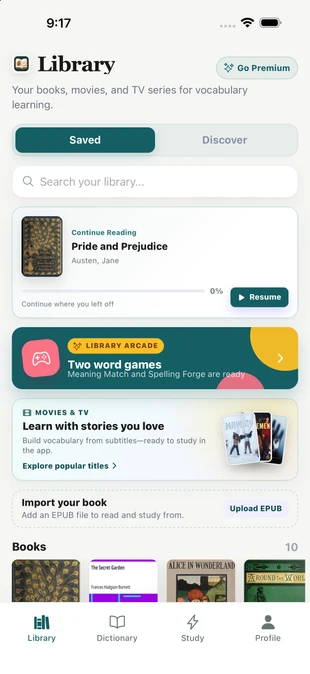
In Meaning Match, test quick definition recognition under round-based scoring. In Spelling Forge, assemble the exact spelling from scrambled letter tiles with tactile iPhone haptics. Learn more on our English vocabulary games for iPhone page.

Reading, movies, and TV
Use TeakReader to learn English by reading books, study English with movie subtitles, play English vocabulary games for iPhone, or read EPUBs in an EPUB reader with a built-in dictionary. The review path stays connected to one vocabulary memory.
FAQ
Yes. Words from EPUB books, included books, and Project Gutenberg classics can feed TeakReader's vocabulary and flashcard workflow.
Yes. TeakReader can process movie and TV subtitle vocabulary so words from subtitles can be reviewed later.
Yes. Words in your flashcard review queue feed into Meaning Match (definition recognition) and Spelling Forge (active recall spelling) in the built-in Arcade.
Yes. The words come from books, chapters, movies, TV seasons, or episodes you study, so review is connected to real material instead of isolated word lists.
Single mode reviews one word at a time. Batch mode lets you scan multiple words together and mark familiar groups faster.
Yes. TeakReader lets you mark words as Known, Learning, or Ignored, and tracks unknown words automatically from processed material.
Yes. TeakReader includes spaced-repetition flashcards for vocabulary review.
Yes. TeakReader can surface frequency-ranked unknown words and study lists from processed books and subtitle sets.
Yes. TeakReader is available on iPhone, iPad, and supported M-series Macs through the App Store, and on Android through Google Play.
Ready to read
Download TeakReader on the App Store or Google Play for iPhone, iPad, supported M-series Macs, and Android.